

Introduction
This blog post derives its inspiration from several other blogs on this topic, including this one, as well as a practical guide and a RESTCONF + YANG walkthrough. The reason to have another one is to tailor this blog to Arrcus devices running ArcOS.
NETCONF is an incredibly powerful protocol for automating the management of network devices. RESTCONF offers the same data model foundation (YANG) but over a familiar HTTP/REST interface, making it accessible to a much wider audience — anyone who can write a curl command or use Postman can manage an Arrcus device programmatically.
Upcoming Workshop: NANOG 98 — Miami, Florida (October 2026)
We are planning a hands-on workshop around this topic at NANOG 98, to be held in Miami, Florida in October 2026. The workshop will give network engineers direct experience using RESTCONF to configure and query Arrcus devices, covering the concepts and examples described in this blog post.
Stay tuned for registration details and the full agenda as the event approaches.
What is RESTCONF?
RESTCONF is an HTTP-based protocol defined in RFC 8040. It provides a programmatic interface for accessing configuration data and operational state that is described in YANG data models — the same models used by NETCONF. Key properties:
- Uses standard HTTP methods: GET, POST, PUT, PATCH, DELETE
- Data is exchanged in JSON or XML (JSON is the default in ArcOS)
- Transport is HTTPS (or HTTP, though not recommended)
- Authentication uses HTTP Basic Auth
- Stateless — each call is independent
ArcOS exposes its entire configuration and operational state via RESTCONF (as well as the CLI), implemented per RFC 8040.
YANG Data Model Primer
RESTCONF URIs map directly to YANG data model nodes. Three key YANG constructs:
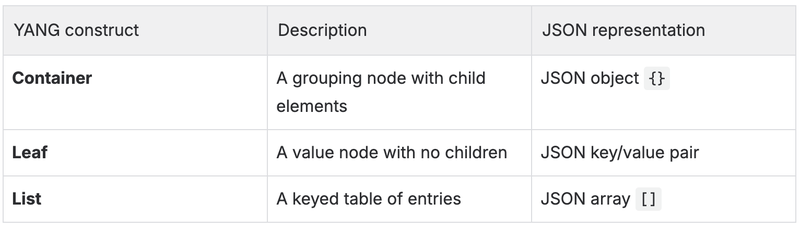
ArcOS implements both OpenConfig and native Arrcus YANG models. Most configuration and state data is accessed via the OpenConfig module paths (e.g., openconfig-system, openconfig-interfaces), with Arrcus-specific augmentations applied on top.
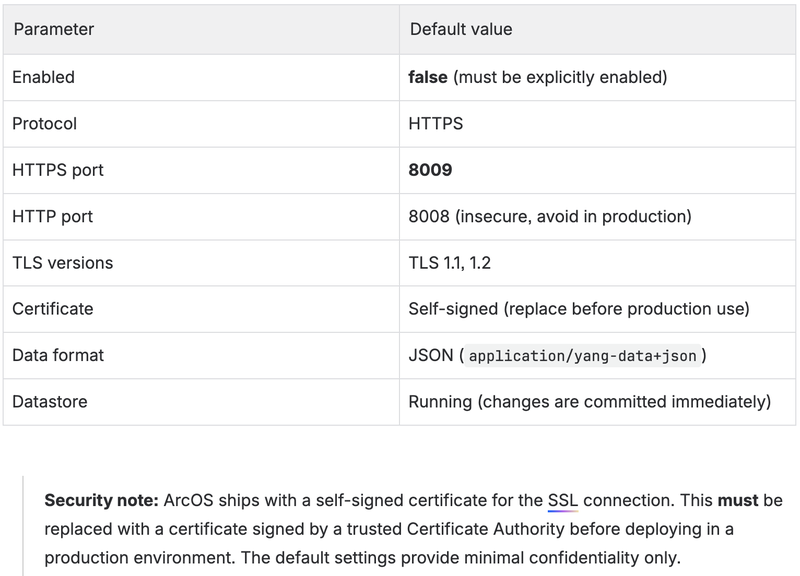
ArcOS RESTCONF: Default Settings
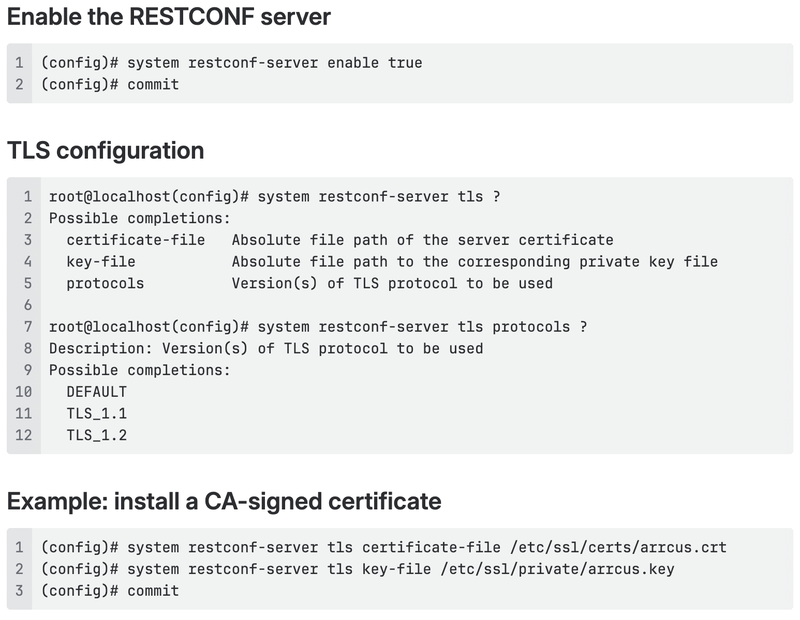
Configuring the RESTCONF Server
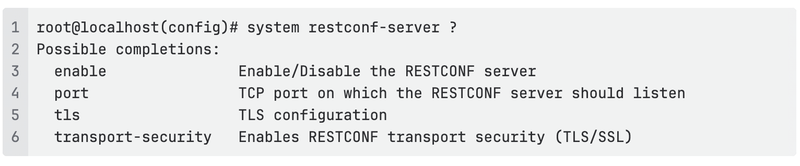
RESTCONF is disabled by default and must be explicitly enabled. All RESTCONF server parameters are managed via the system restconf-server CLI hierarchy.
View available options
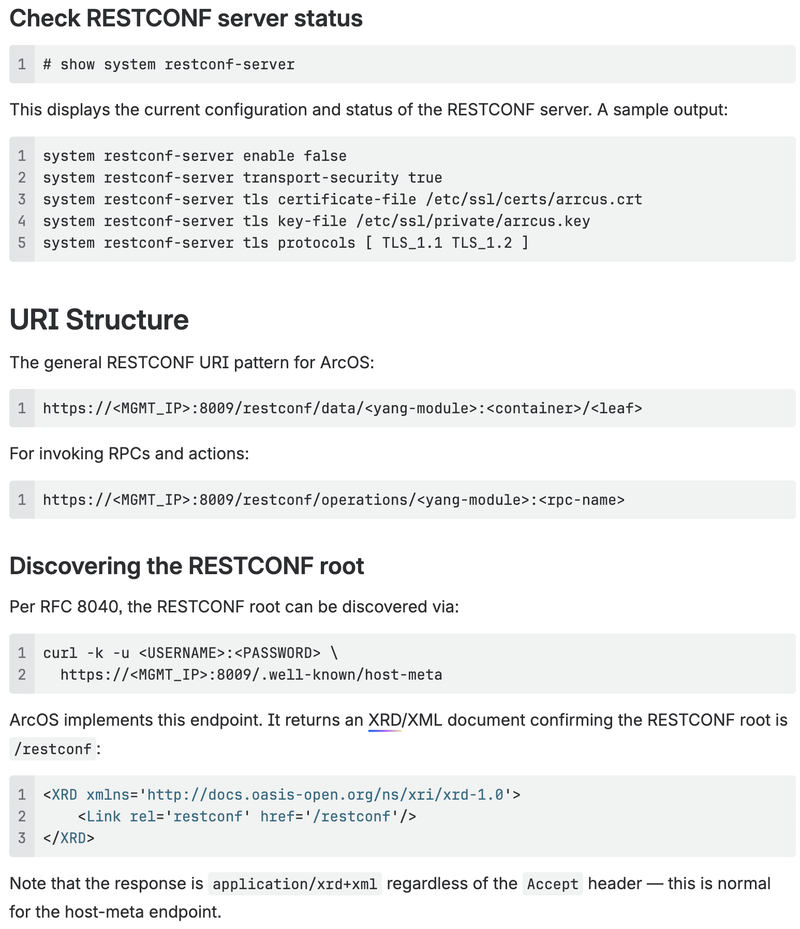
Verifying connectivity

HTTP Methods in Detail
GET — Read data
Used to retrieve configuration or operational state. Does not modify anything.

Expected response: HTTP 200
PATCH — Create or update configuration
The preferred method for configuration changes in ArcOS. Merges the supplied data with existing configuration.
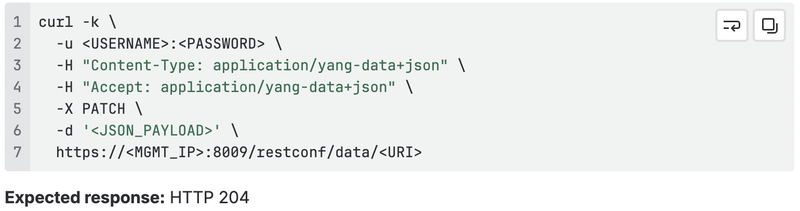
Expected response: HTTP 204
PUT — Replace a resource
Replaces the entire target resource with the supplied data. Always do a GET first to avoid accidentally removing existing sub-configuration.
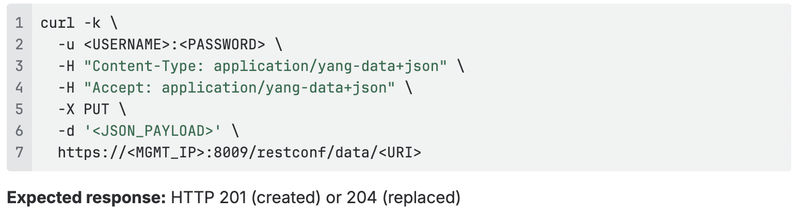
POST — Create a new resource or invoke an RPC
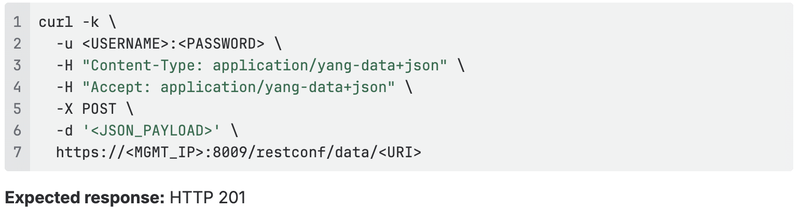
DELETE — Remove a resource

Note: Remove the -k flag once you have replaced the self-signed certificate with a valid CA-signed certificate.
Practical Examples on ArcOS
Retrieve system state
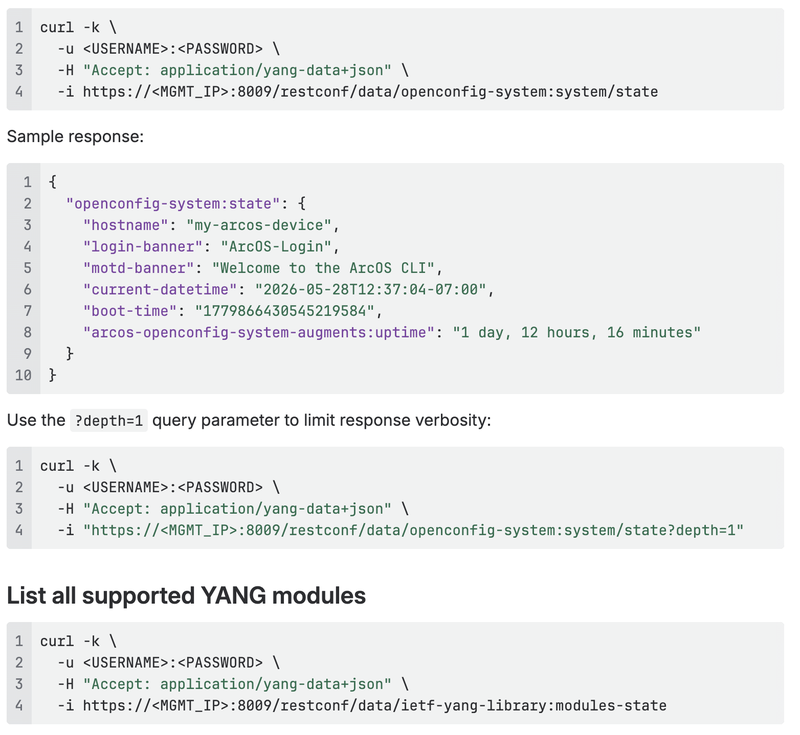
This returns the full list of YANG modules implemented on the device, including revision dates and schema URLs — useful for discovering the correct module names and paths to use in subsequent calls.
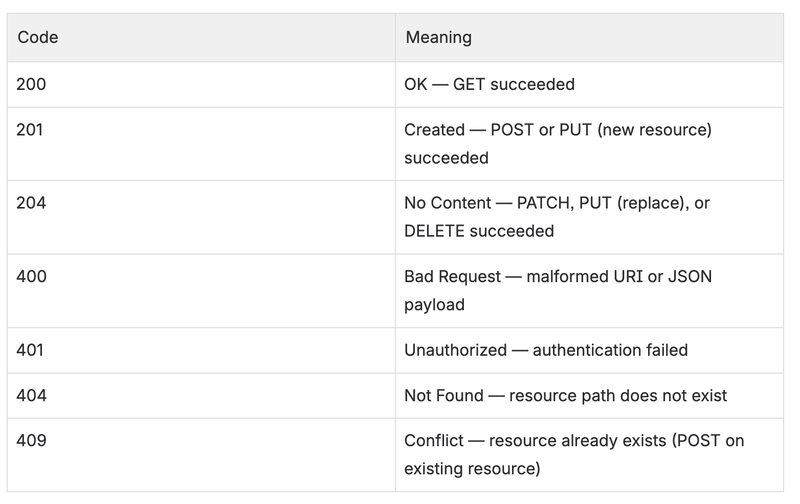
HTTP Response Code Reference
Using Postman
Postman provides a graphical interface for issuing RESTCONF calls and is useful for exploration and debugging.
Setup
- Download and install Postman.
- If using ArcOS with the default self-signed certificate, go to Settings → General and disable SSL certificate verification.
- Create a new Collection and add a new Request.
Headers
Under the Headers tab, add:

Authentication
Under the Authorization tab, select Basic Auth and enter the ArcOS username and password.
Running requests
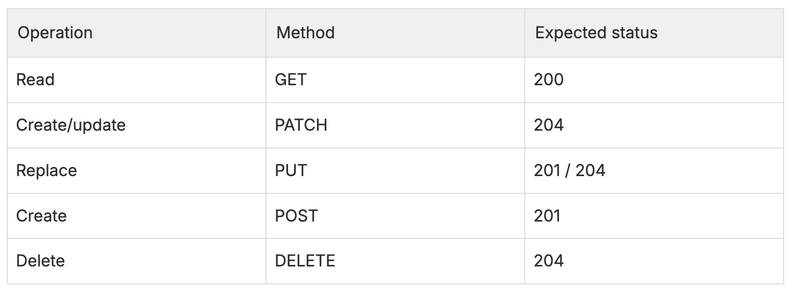
For PATCH and POST, set the JSON payload under the Body tab (select raw → JSON).
User Privileges
ArcOS applies the same role-based access control to RESTCONF as to the CLI. Users in the operators group have read-only access; users in the admins group can make configuration changes. Refer to the Understanding User Model in ArcOS section of the CLI guide for full details.
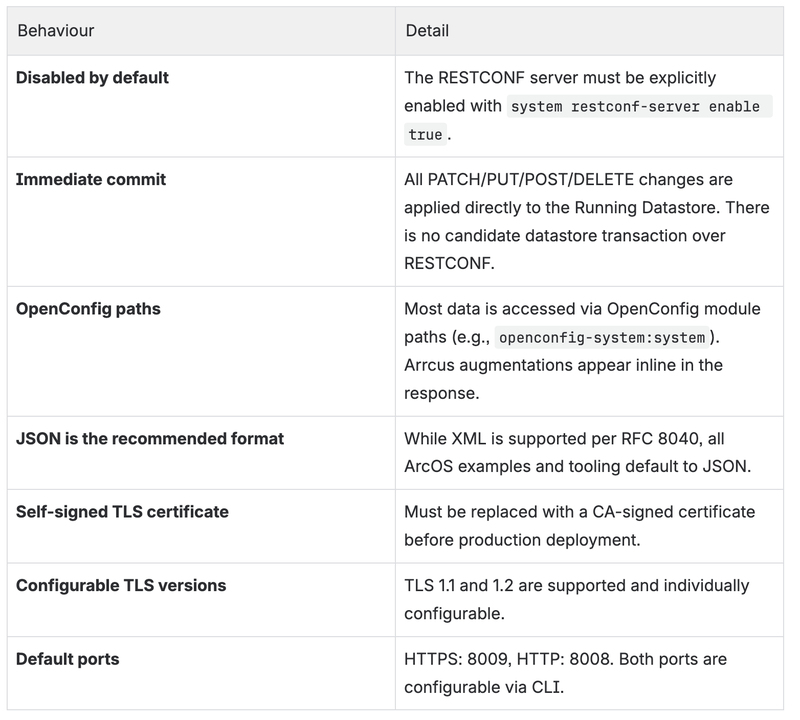
ArcOS-Specific Behavior and Limitations
References
- RFC 8040 — RESTCONF Protocol
- RESTCONF Practical Guide — algoderedes.com
- RESTCONF and YANG — networkop.co.uk
- RESTCONF Tutorial — ultraconfig.com.au
- ArcOS CLI Guide v8.1.2 — System Level Configuration Guide → RESTCONF