

Introduction
In Part 1 we connected to the RESTCONF server. In Part 2 we learned to navigate the YANG data model and read operational state. In Part 3 we put that foundation to work by making real configuration changes: setting interface descriptions, changing the hostname, adding and removing static routes. Every example in this post was verified against a live ArcOS 8.3.1A device.
Rule 1: Read Before You Write
Before sending any PATCH or PUT, fetch the current state of the resource you are about to modify. This gives you three things:
- The exact JSON structure the device expects (field names, namespace prefixes, key ordering)
- The current values, so you do not accidentally overwrite something you did not intend to change
- A baseline to compare against after the change to confirm it took effect

PATCH: The Preferred Method for Configuration Changes
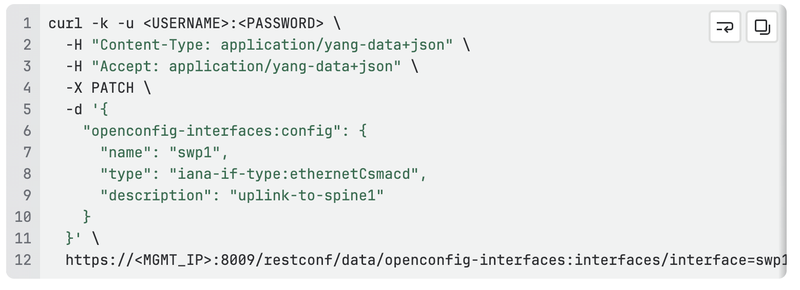
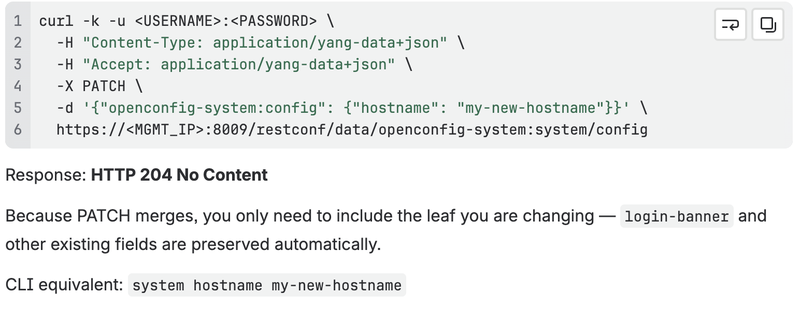
PATCH merges your payload into the existing resource — only the fields you include are updated, everything else is left untouched. This makes it safe for targeted changes and is the method you will use most often.
Expected response: HTTP 204 No Content (no body — success is silence)
Example 1: Set an interface description
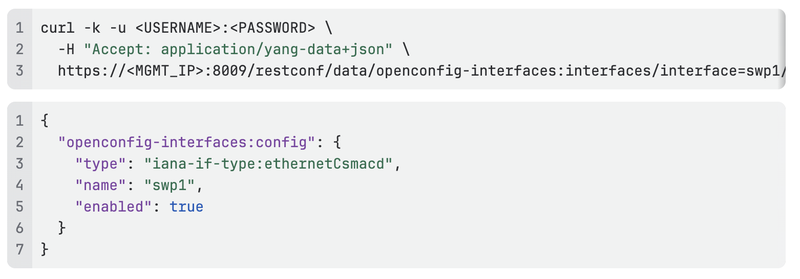
Read the current config first:
Now PATCH a description onto it. Include all existing fields from the config container in your payload to avoid any unintended loss:
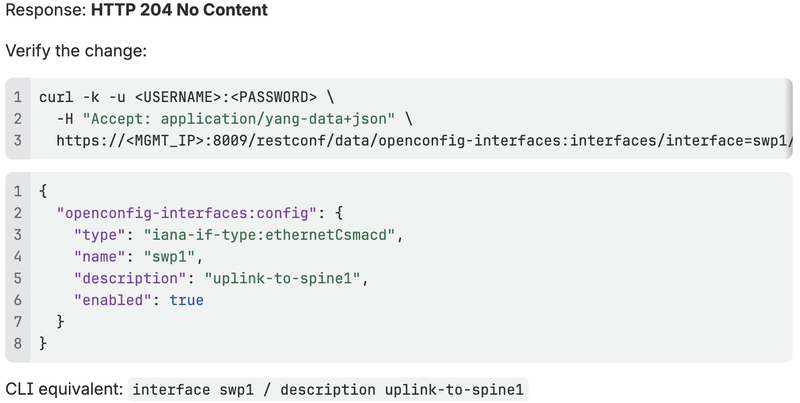
Why do only some leaves appear?
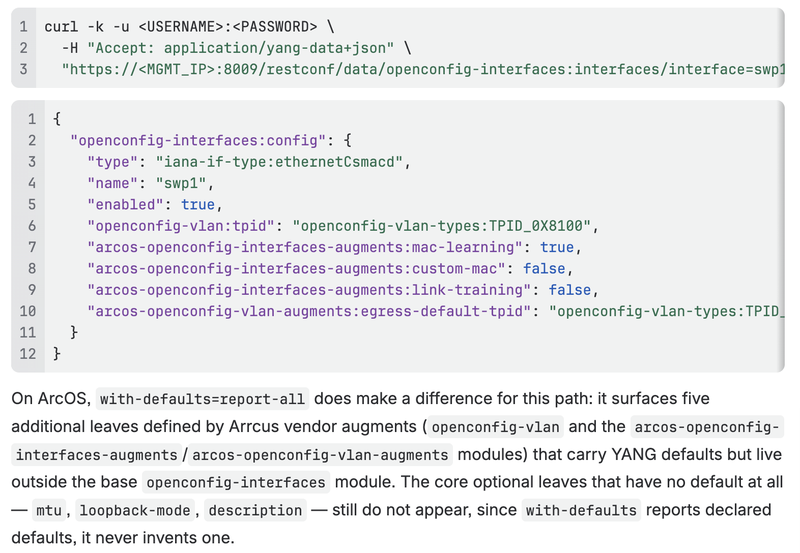
The openconfig-interfaces:config container defines up to six leaves: name, type, mtu, loopback-mode, description, and enabled. A plain GET above only returns three. mtu, loopback-mode, and description have no YANG default and were never explicitly set, so RESTCONF simply omits them — it does not manufacture a value for a leaf that has none.
To see every leaf the server considers "in effect" — explicit values plus any declared defaults — add ?with-defaults=report-all to the GET:
Example 2: Change the hostname
URL-Encoding Special Characters in List Keys
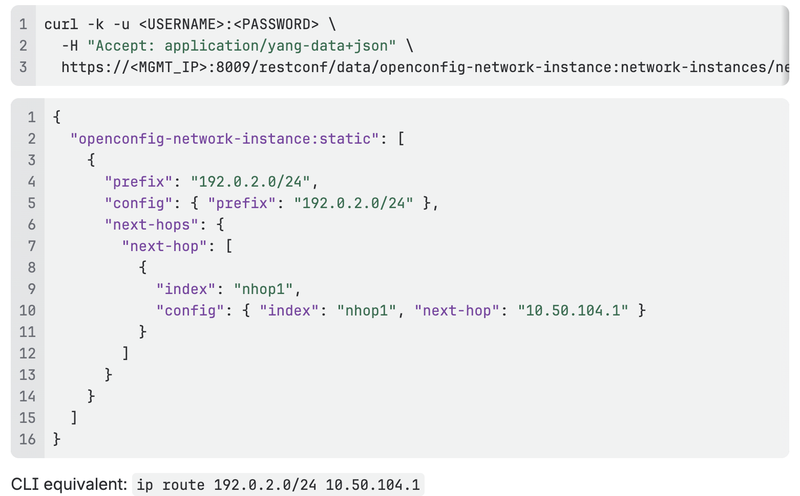
When a list key contains characters that have special meaning in a URL — most commonly the forward slash / in an IP prefix — you must percent-encode them. The slash / encodes as %2F.

PATCH: Creating a New List Entry
PATCH can also be used to add a new entry to a list. The example below adds a static route to the default VRF.
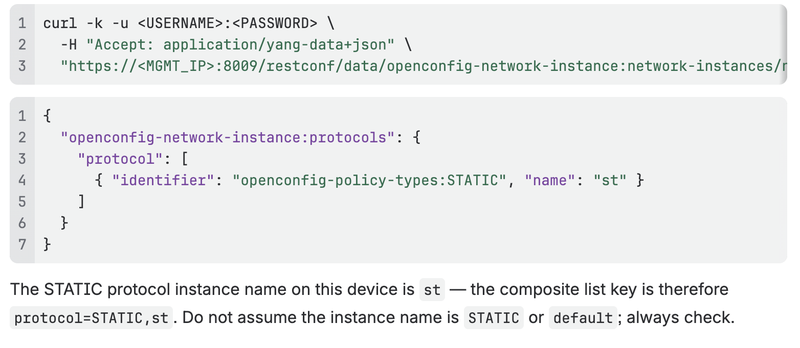
Finding the static route path
Before writing, discover the correct protocol instance name by reading the protocols list:
Add the static route
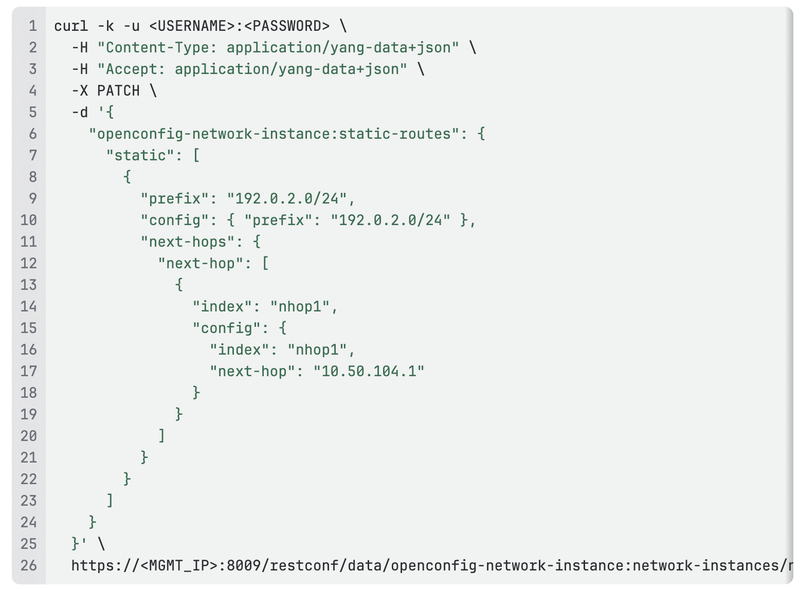
Response: HTTP 204 No Content
Verify by fetching the specific entry (note the URL-encoded /):
DELETE: Removing Configuration
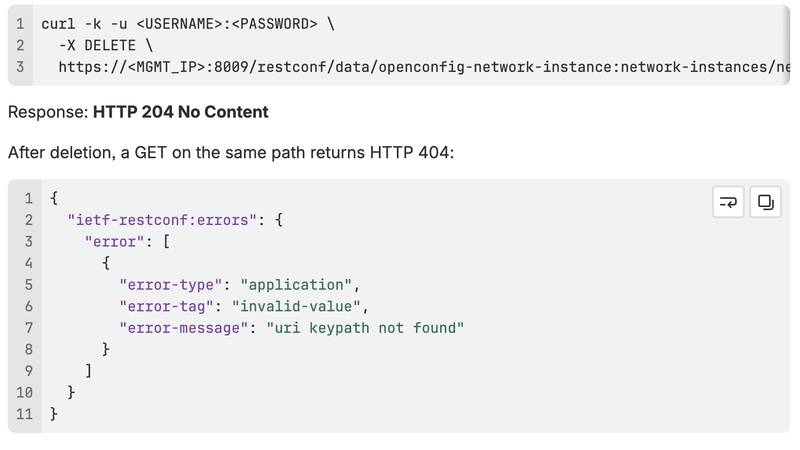
DELETE removes either a specific leaf or an entire list entry. It takes no request body.
Expected response: HTTP 204 No Content
Remove a single leaf
To remove just the description from an interface (restoring the leaf to its absent/default state):

Remove an entire list entry
To delete a static route entirely:
PATCH vs PUT: Knowing the Difference
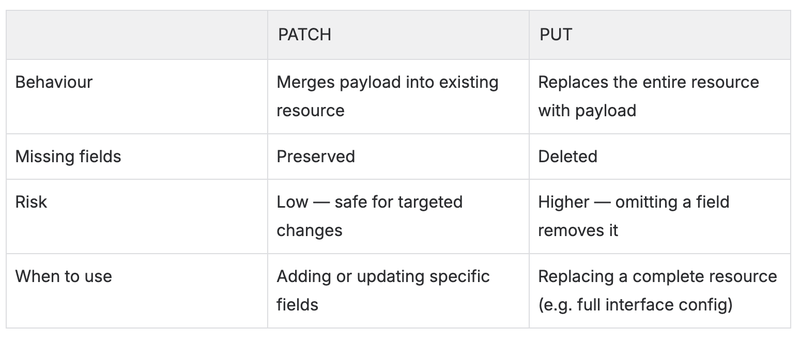
For most day-to-day configuration work, use PATCH. Use PUT only when you intentionally want to replace a resource in full — and always do a GET first to capture the complete current state.
Understanding Errors
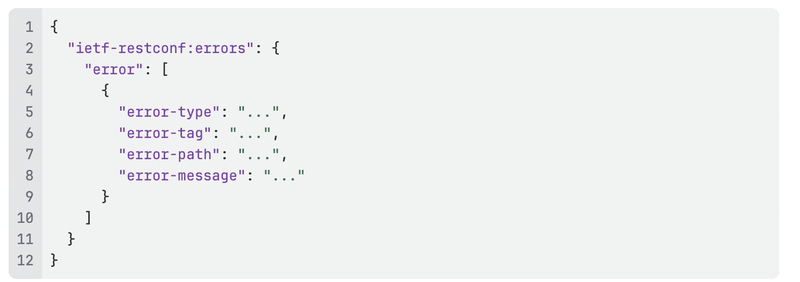
All RESTCONF errors on ArcOS follow the RFC 8040 format:
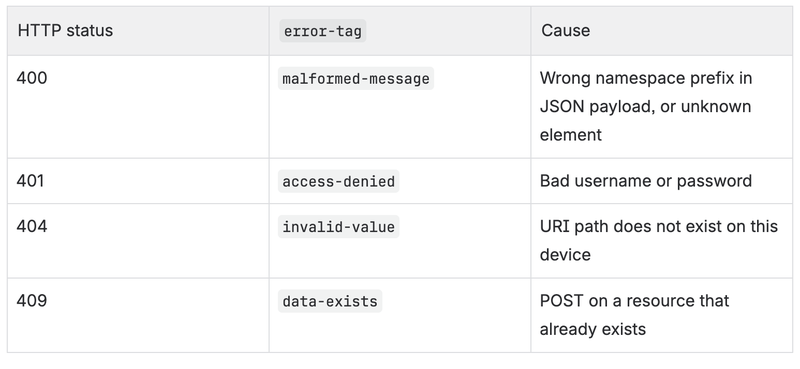
Common error codes
Example: wrong namespace in payload
Sending a payload with openconfig-local-routing:static as the top-level key when the path expects openconfig-network-instance:static-routes produces a 400 error:
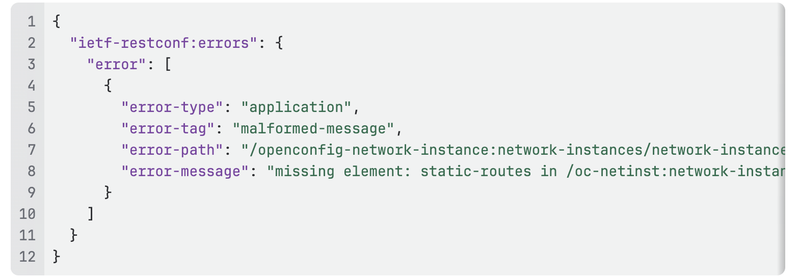
Rather than naming the unrecognized element you sent, ArcOS reports that the element it expected (static-routes) is missing at that path — because your wrong-namespace key does not satisfy the container the path requires, the parser sees an empty match, not an "unknown element." The error-path still pinpoints exactly where in the data tree the mismatch occurred, using the module's internal prefixes (oc-netinst for openconfig-network-instance, oc-pol-types for openconfig-policy-types). Use the container name in error-message together with error-path to identify which module actually owns that container, then correct the top-level key in your payload accordingly.
Workflow Summary
For any configuration change:
- GET the target resource to read current state and confirm the correct path
- Check the namespace of the outermost JSON key — it must match the module that owns that container
- PATCH with only the fields you want to change (or the full container if safer)
- GET again to verify the change is reflected in
config - Check operational state via the
statecontainer to confirm the change is active
What's Next
In Part 4 we move from manual curl commands to scripting — using Python's requests library to build reusable functions that read, change, and verify device configuration programmatically. We will also introduce basic error handling so scripts fail loudly rather than silently.
References
- Part 1 — Introduction to RESTCONF on Arrcus devices
- Part 2 — Navigating the YANG Data Model
- RFC 8040 — RESTCONF Protocol
- OpenConfig Working Group
- ArcOS CLI Guide v8.1.2 — System Level Configuration Guide → RESTCONF