

Introduction
In Part 1 we connected to the RESTCONF server. In Part 2 we navigated the YANG data model. In Part 3 we made configuration changes using curl. In Part 4 we replace the curl commands with Python — building a small, reusable library that any script or automation tool can import. Every example was verified against a live ArcOS 8.3.1A device.
Prerequisites

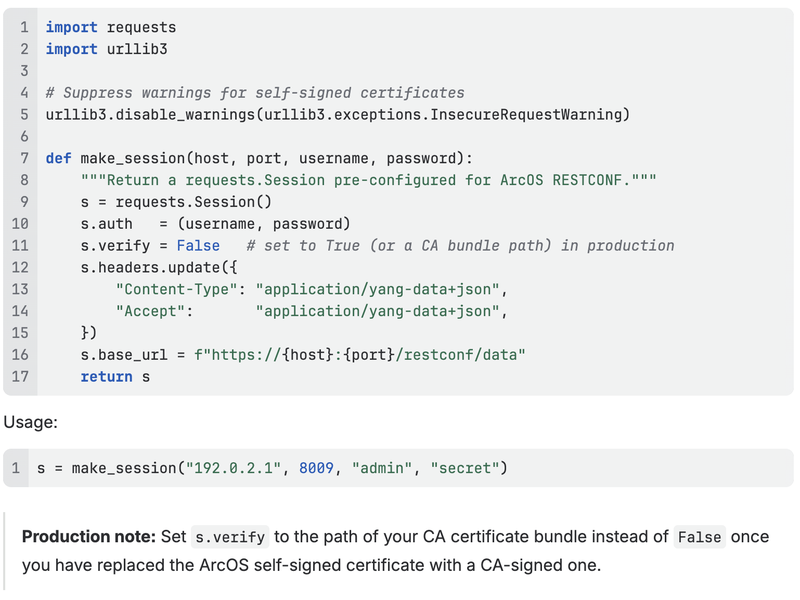
Step 1: Create a Session
The foundation of the library is a requests.Session. A session holds authentication, default headers, and the base URL so you do not repeat them in every call. It also reuses the underlying TCP connection, which matters when making many requests in a loop.
Step 2: Core Helper Functions
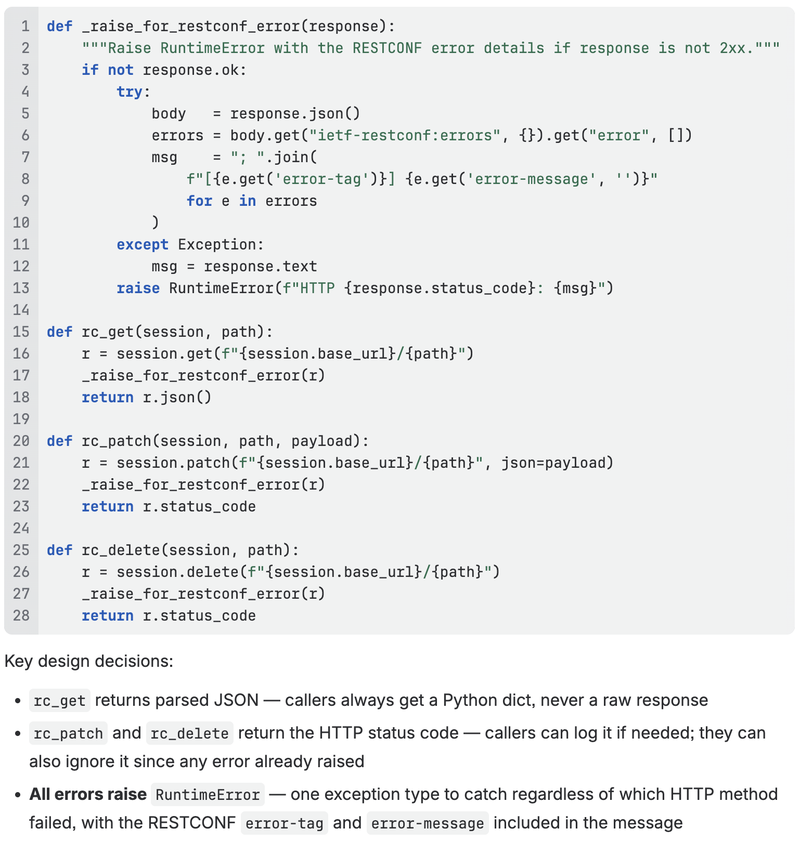
Three thin wrappers cover the operations from Part 3. Each calls a shared error handler so every failure raises a consistent RuntimeError with the RESTCONF error body parsed out.
Step 3: Higher-Level Functions
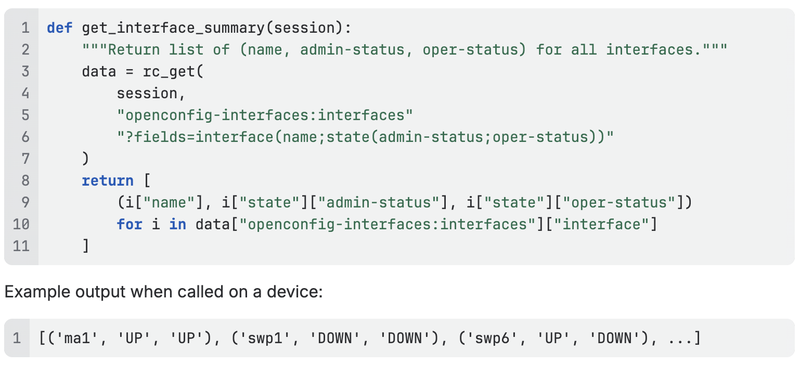
With the core helpers in place, build functions that speak in network concepts rather than HTTP verbs.
Interface summary
Set interface description
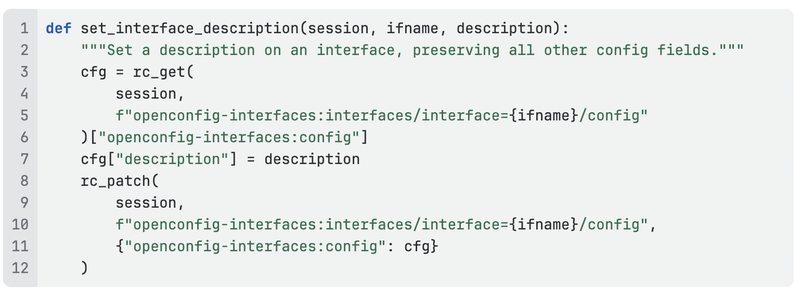
This function reads the current config first (to preserve fields like type and enabled) and then patches only the description leaf.
Static route management
Static routes live under a protocol instance whose name varies per device (as we discovered in Part 3 — it is st on this device, not STATIC). The helper below looks it up automatically so callers never need to know it.
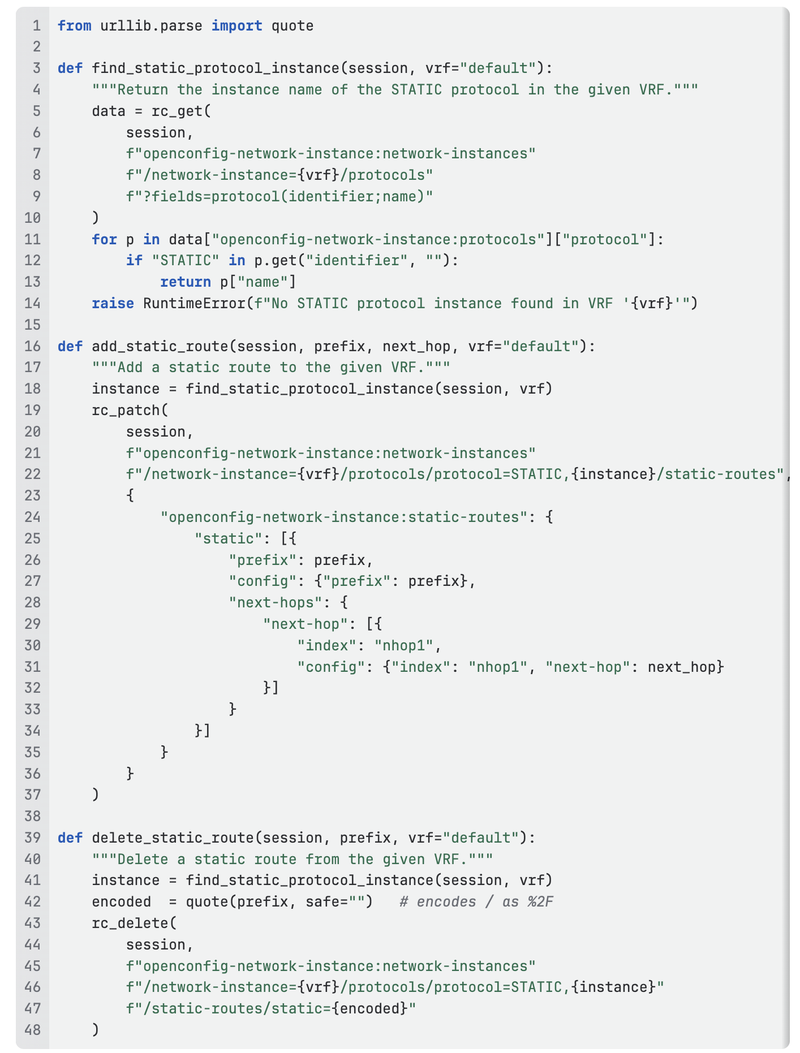
Note the use of urllib.parse.quote(prefix, safe="") to URL-encode the / in the prefix — this is the Python equivalent of writing %2F by hand in a curl command.
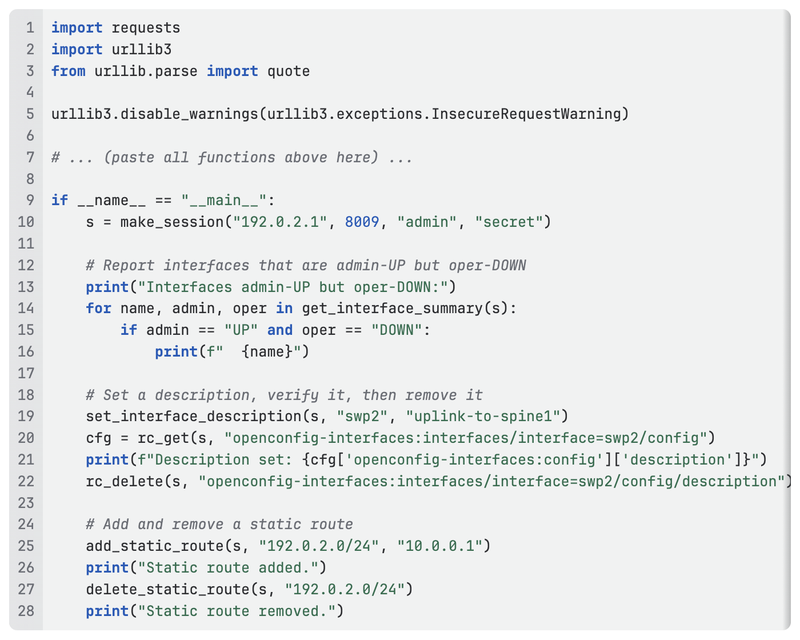
Putting It All Together
A complete script that uses the library above:
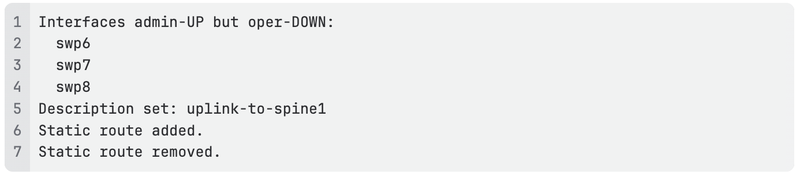
Output from the live device:
Error Handling
Every function in the library raises RuntimeError on failure with the RESTCONF error tag and message parsed out of the response body:
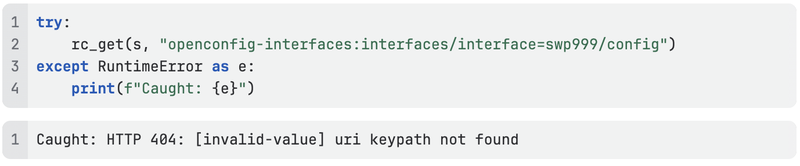
This means you can wrap any call in a single try/except RuntimeError and get a human-readable description of exactly what went wrong. For automation scripts, log the message and continue; for interactive tools, surface it to the user.
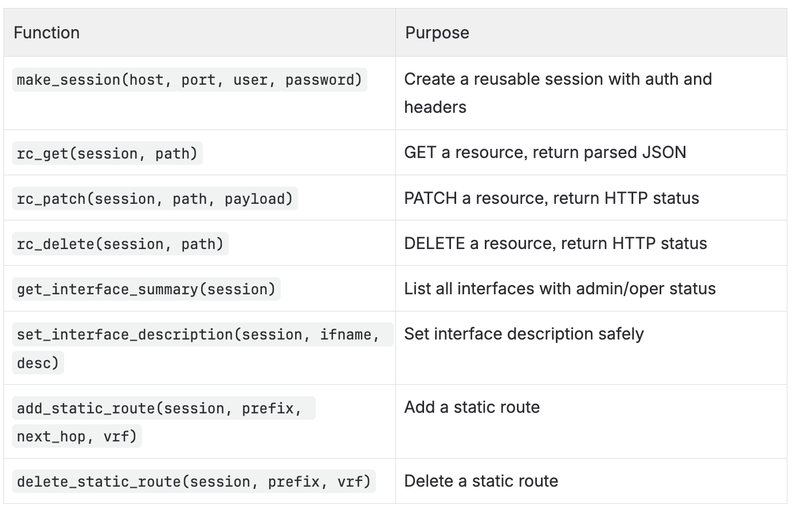
Summary of the Library
What's Next
In Part 5 we build on this library to create a complete network automation workflow: reading the current state of multiple devices, detecting configuration drift, and applying corrections — all from a single Python script.
References
- Part 1 — Introduction to RESTCONF on Arrcus devices
- Part 2 — Navigating the YANG Data Model
- Part 3 — Making Configuration Changes
- requests library documentation
- RFC 8040 — RESTCONF Protocol
- ArcOS CLI Guide v8.1.2 — System Level Configuration Guide → RESTCONF